
See and Control Web Activity
Know which websites your team uses during work hours, how long they spend, and block the sites that pull focus away.
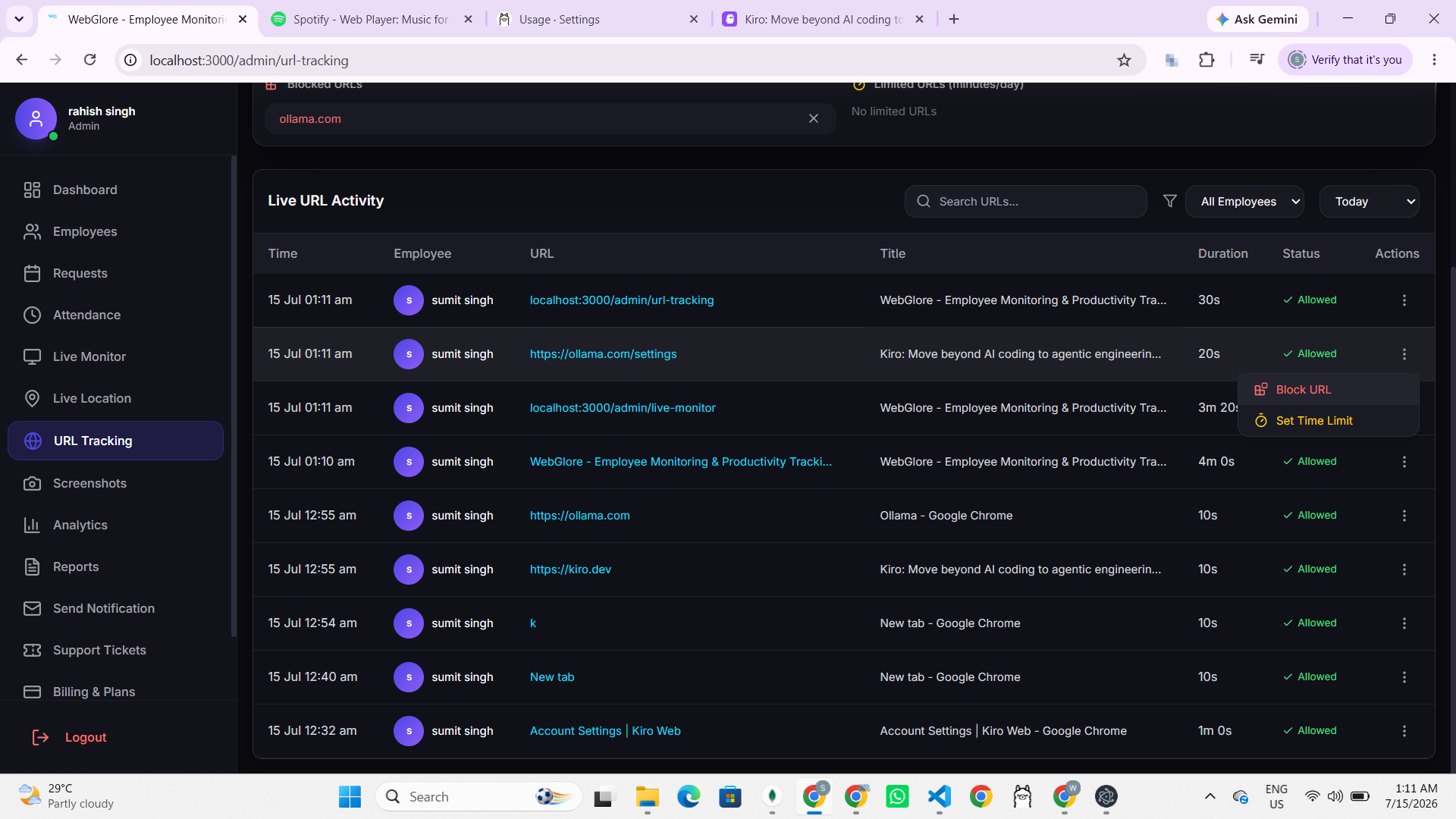
Everything you get with URL Tracking
Practical tools your team will actually use.
Website Visit Logs
Automatically record the websites visited during an active work session, with timestamps.
Time Per Site
See how much time is spent on each website so you can spot where the day actually goes.
Block Distracting Sites
Block specific websites for your whole team, enforced right on the employee device.
Allow & Limit Rules
Set daily time limits on certain sites, or allow only what the role needs.
Usage Reports
Clear reports on productive vs distracting browsing across people and teams.
Fair & Transparent
Tracking runs only during work sessions, so personal time stays personal.
Why teams choose it
Ready to try URL Tracking?
Start your 7-day free trial. No credit card required.
Frequently Asked Questions
Common questions about URL Tracking in OneTap Track.
It records the websites visited during an active work session, with the time spent on each one. Browsing outside a work session is not tracked, so personal time stays private.
Yes. You can block individual sites or whole categories for your team, and the block is enforced right on the employee device during work hours.
Every site shows total time spent, so you can quickly tell productive browsing apart from distractions and act on real data instead of guesswork.
No. The desktop agent is lightweight and runs quietly in the background, so it does not affect browsing speed or everyday work.
Yes. Tracking is transparent and starts only when a work session is active, which keeps the whole setup fair and easy to explain to your team.